
Find Physical Altercations and Fighting
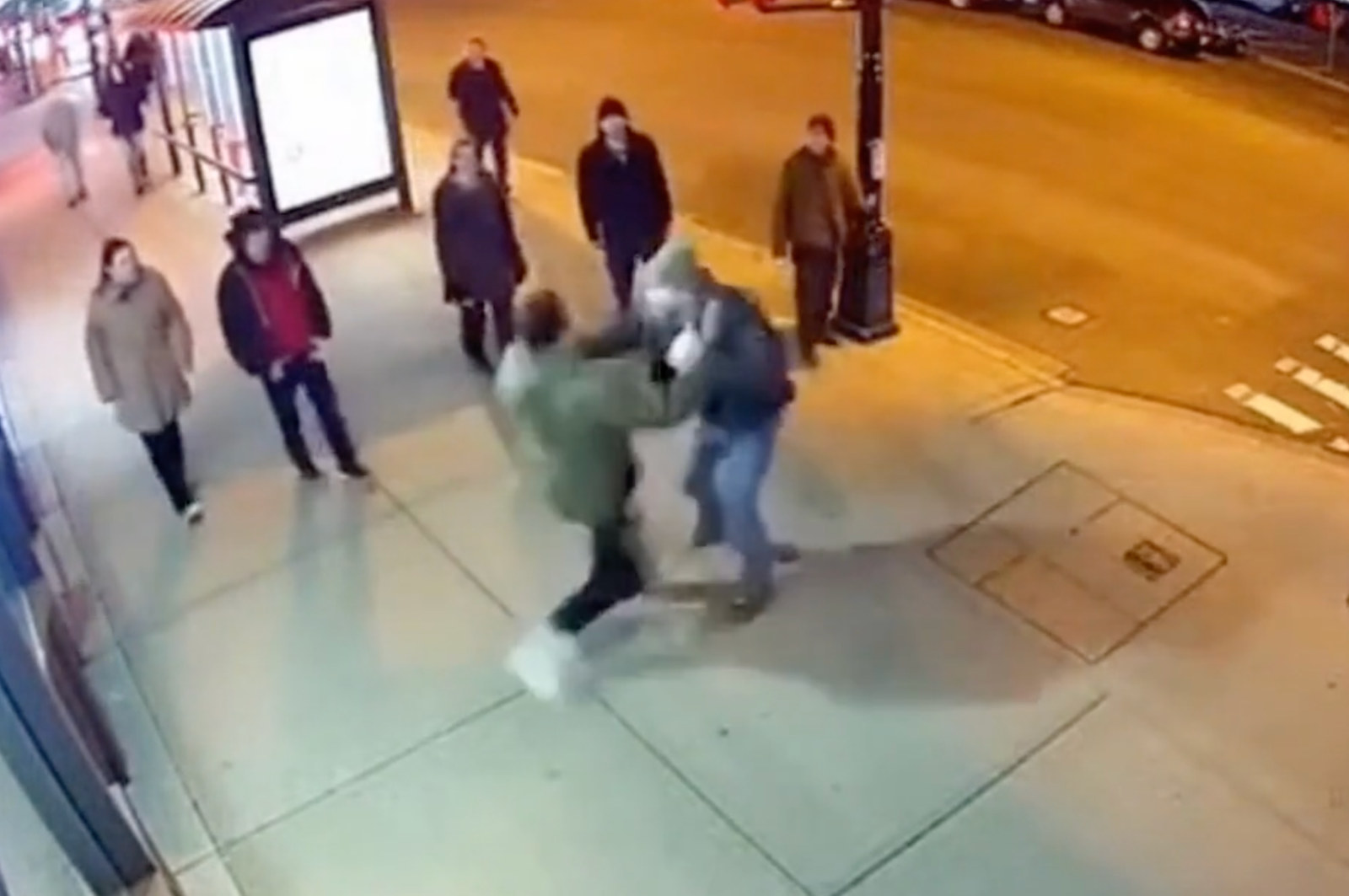
Find events where two or more people engaged in an altercation which includes grappling, punching, or shoving.
eyepop.find-events.identify-fighting:latest
Prompt
Determine the primary content of the input and assign exactly one label from the following list: ['Fighting', 'Safe'].
Fighting: Choose this label if the video/image shows individuals engaged in hostile, non-consensual physical violence. You must classify the scene as 'Fighting' if ANY of the following are present:
Active Striking: Punching, kicking, slapping, or actively beating someone up, even...
...Run the full prompt in your EyePop.ai dashboard
Input
Video
Output
Fighting or Safe
Image size
640x640
Model type
EyePop.ai VLM
FPS
10

How It Works
Maintaining security in public space or venues requires being able to quickly identify physical conflicts effectively. However, manually reviewing hours of video footage can be inefficient and time consuming. Being able to automatically alert when an altercation happens is important for rapid response. The Find Events task on Abilities tab can determine if a video contains specific instances of, in this case, fighting, and locate the occurrence in the video.
For example, a specific segment of security footage should be flagged with the label Fighting if it shows two or more people engaged in an altercation which includes grappling, punching, or shoving someone.
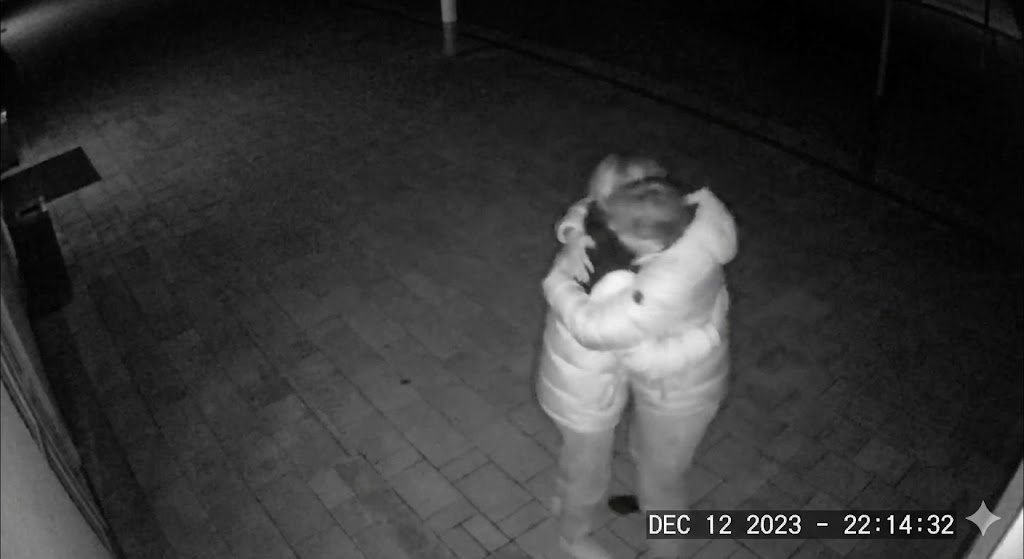
We will need to separate occurrences of heated arguments or consensual physical interactions/fights (hugs, boxing, etc) from genuine hostile violence.
Our expected inputs are videos, and the expected output will be the timestamps identifying exactly when the Fighting occurs throughout the footage.
UI Tutorial
Step 1: Create an Ability
Go to the Abilities tab and select the button Create Ability. Get early access to Abilities here >
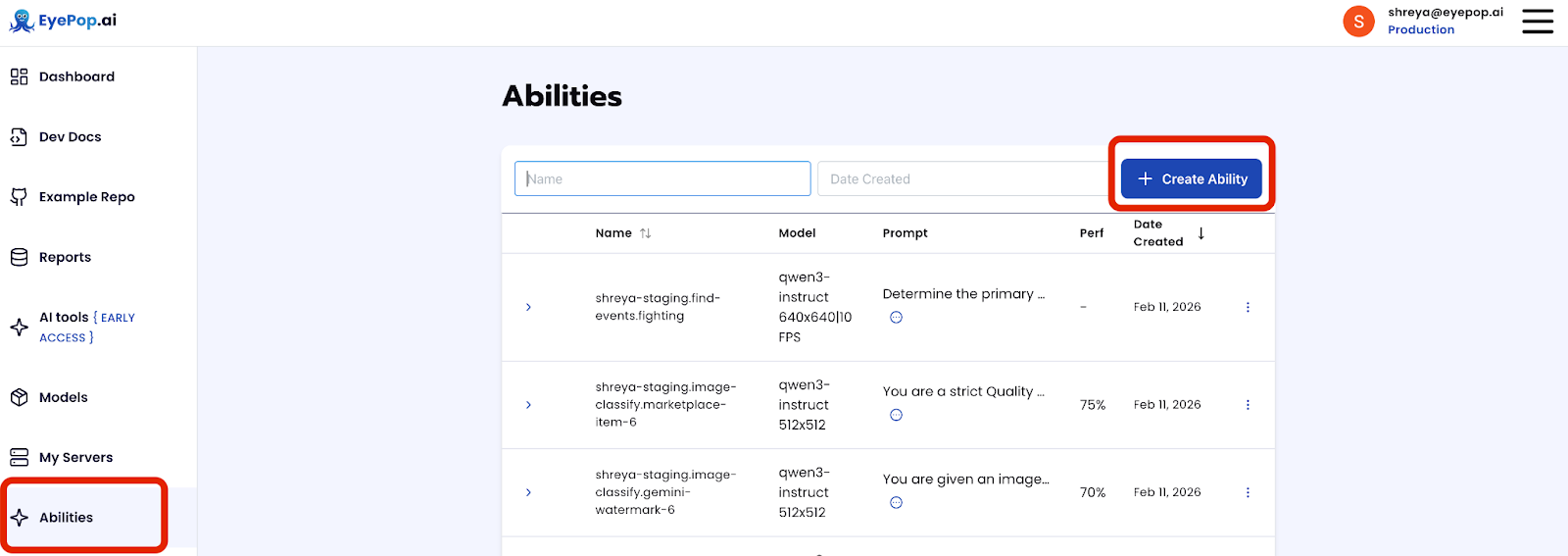
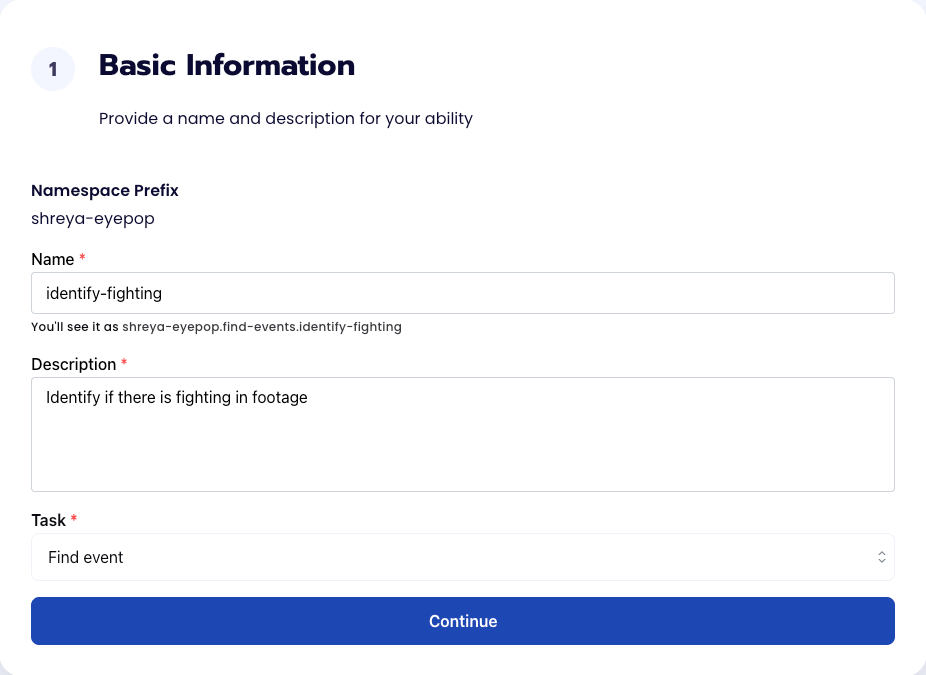
Fill out basic information about the ability such as its name and the description of the task itself. Since we are classifying an image, select the Task Type as Find Events.
Step 2: Task Configuration
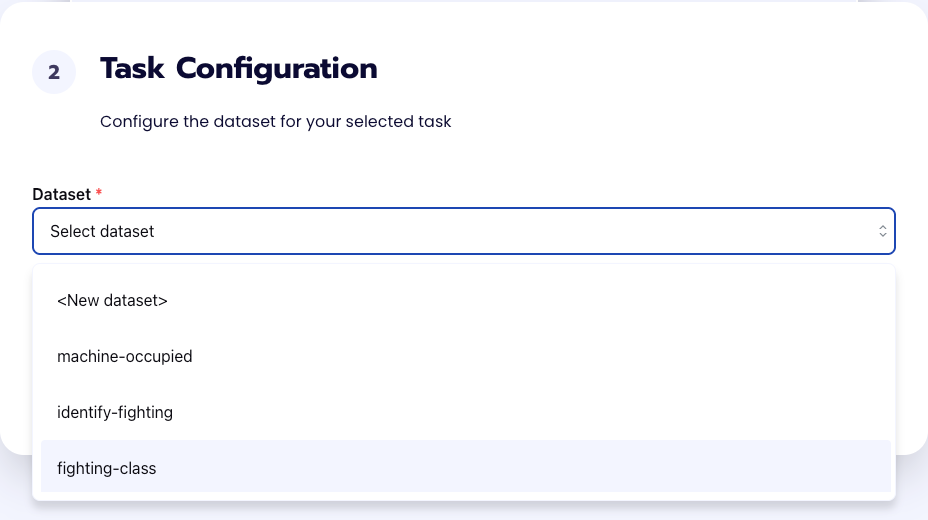
To configure the task, we need to select a dataset for the specific task. If you have already uploaded your videos in a dataset simply select the name of your dataset. However, if you haven’t already done so then select <New Dataset> and upload your videos, label them by identifying where the fighting in the video happens, and create a label Fighting.
Step 3: Configuration
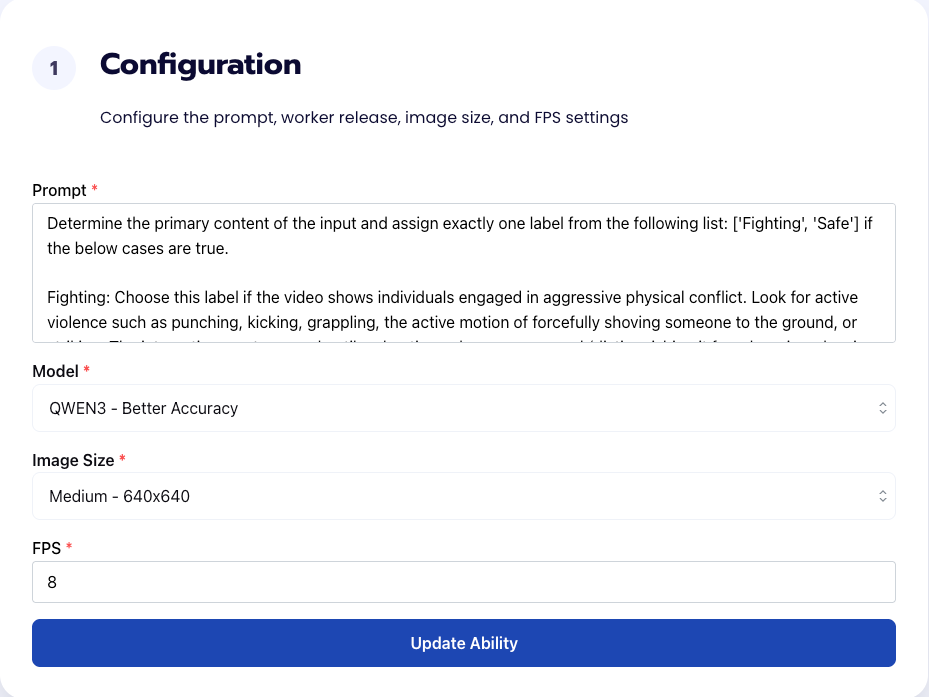
Our next step is to configure the prompt, select the model, and image size. For this use case, we recommend using the below prompt and settings for highest accuracy and best results. Get early access to Abilities here >
Prompt:
Determine the primary content of the input and assign exactly one label from the following list: ['Fighting', 'Safe'].
Fighting: Choose this label if the video/image shows individuals engaged in hostile, non-consensual physical violence. You must classify the scene as 'Fighting' if ANY of the following are present:
Active Striking: Punching, kicking, slapping, or actively beating someone up, even if it happens quickly or in a crowd.
Ground Fighting: Hostile wrestling, pinning someone down, or bodies aggressively rolling around together on the ground/street.
Forceful Shoving: Violently pushing someone. This includes the exact moment of physical contact AND the immediate resulting motion of the victim falling, stumbling backward, or losing balance.
Safe: Choose this label if the scene lacks active, hostile physical contact. You must strictly classify the scene as 'Safe' in the following scenarios:
Aggressive Posturing & Confrontations: A group of people confronting someone, surrounding someone, getting in someone's face, arguing, or pointing. No matter how angry or chaotic the crowd looks, if there are no physical strikes, shoves, or grapples occurring, it is 'Safe'.
Peaceful/Daily Activities: Normal interactions, walking, verbal arguments without touching, hugging, or dancing.
The Aftermath: Someone lying on the ground after a fight has clearly ended, with no active violence happening in the current frame.
Output exactly one label, with no extra text: Fighting or Safe
Step 4: Run Evaluation
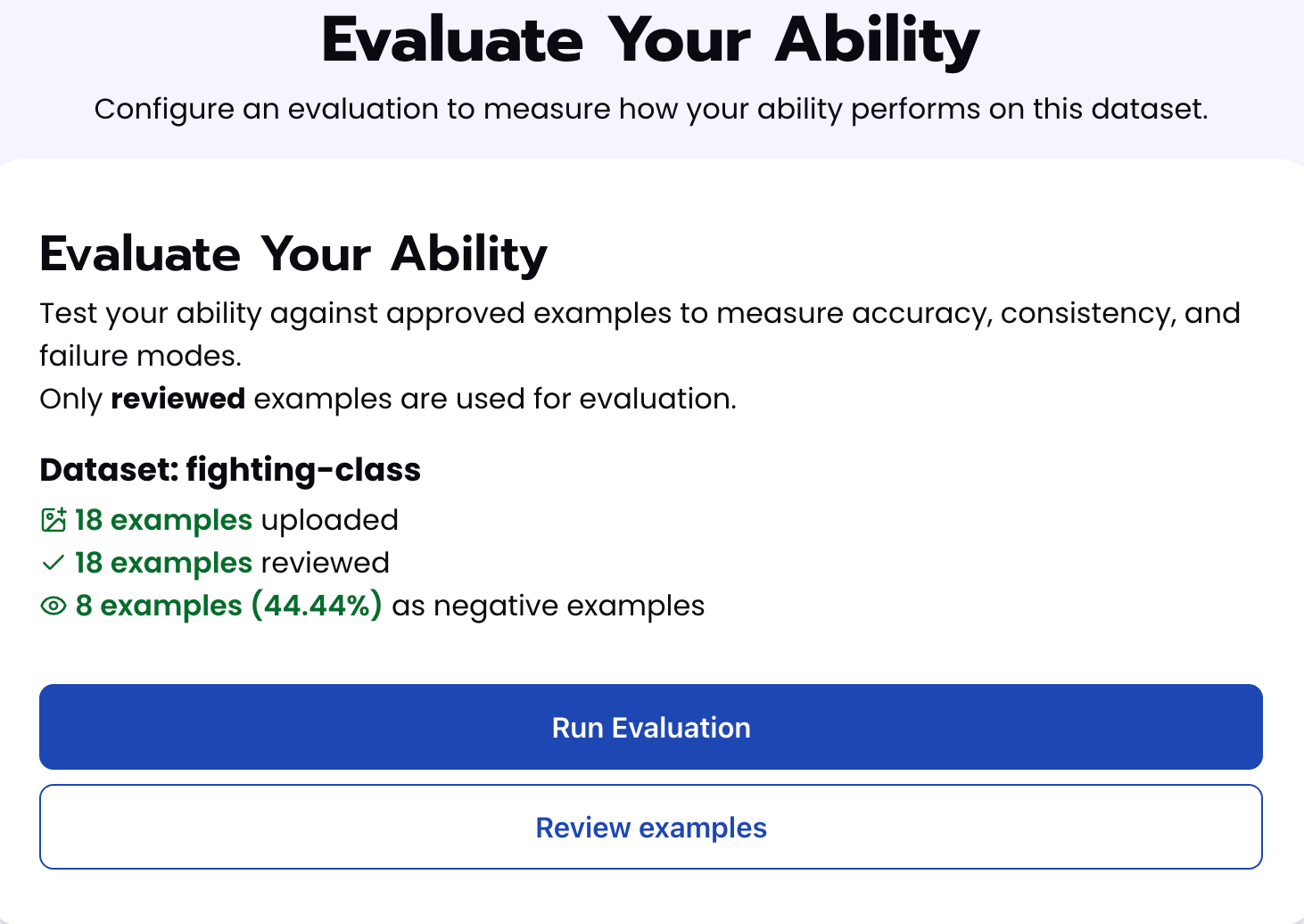
To check how well the prompt does against the dataset, our next step is to run the evaluation. If needed, review the examples in your dataset to ensure all necessary images can be used in the evaluation.
Step 5: Check Evaluation
All evaluations can be reviewed in the Abilities tab by clicking the dropdown arrow next to the associated ability-alias. Evaluations can take around 15-20 minutes to complete based on the size of the dataset.
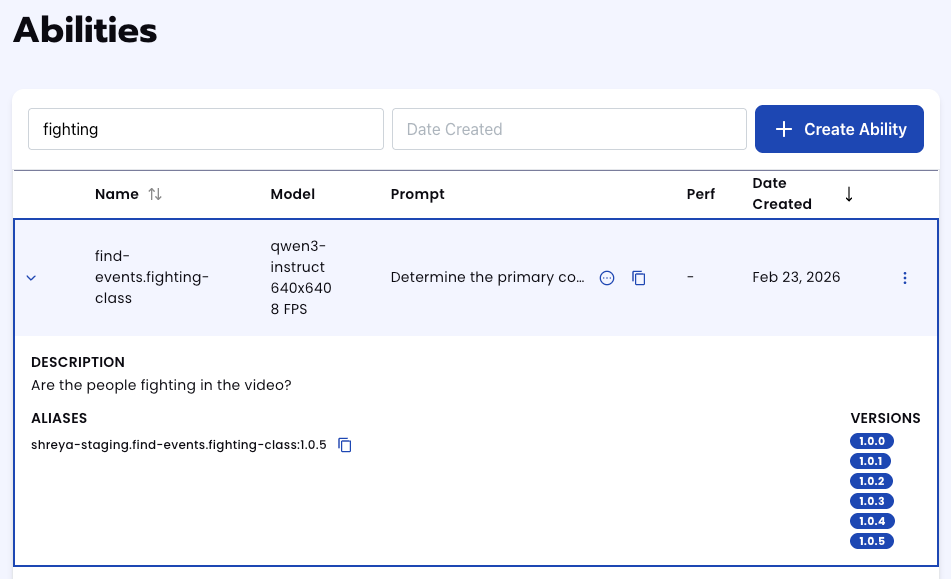
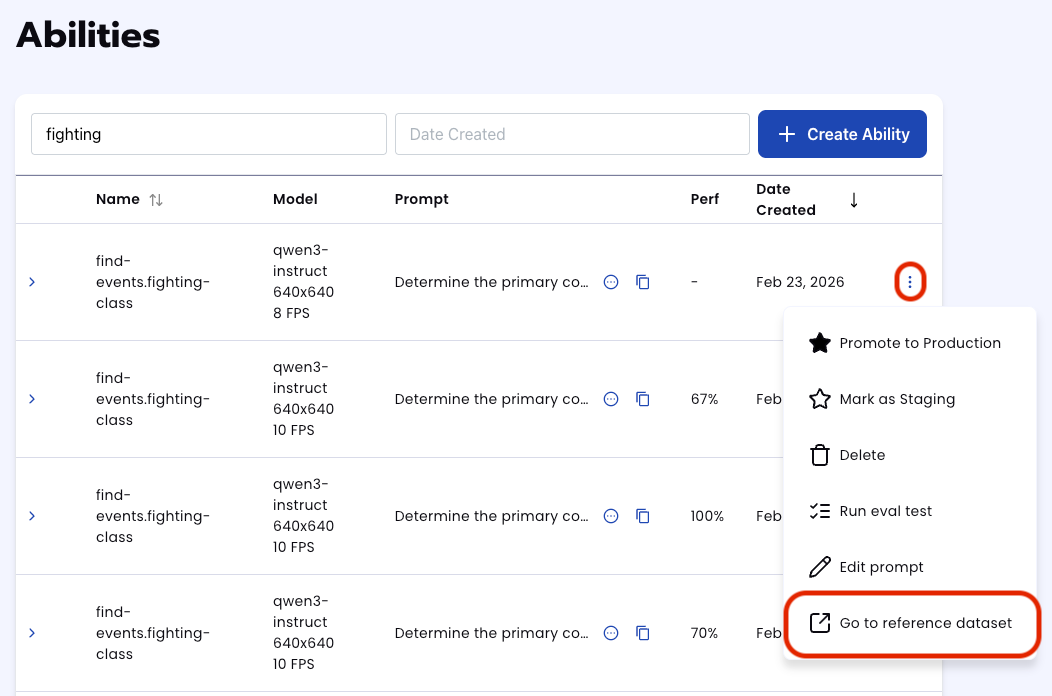
In addition to the performance, recall, and precision percentages you can find in evaluation a visualization of what the model predicted by revisiting the dataset. Click on the three dots and select “Go to reference dataset”.
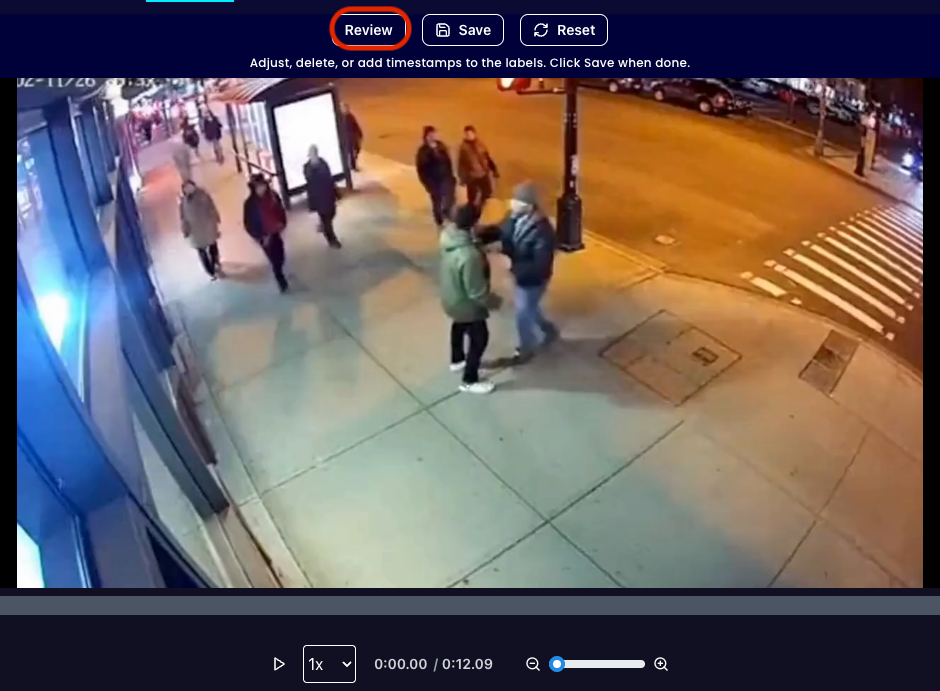
Select one of the videos in the dataset and click on the review button.
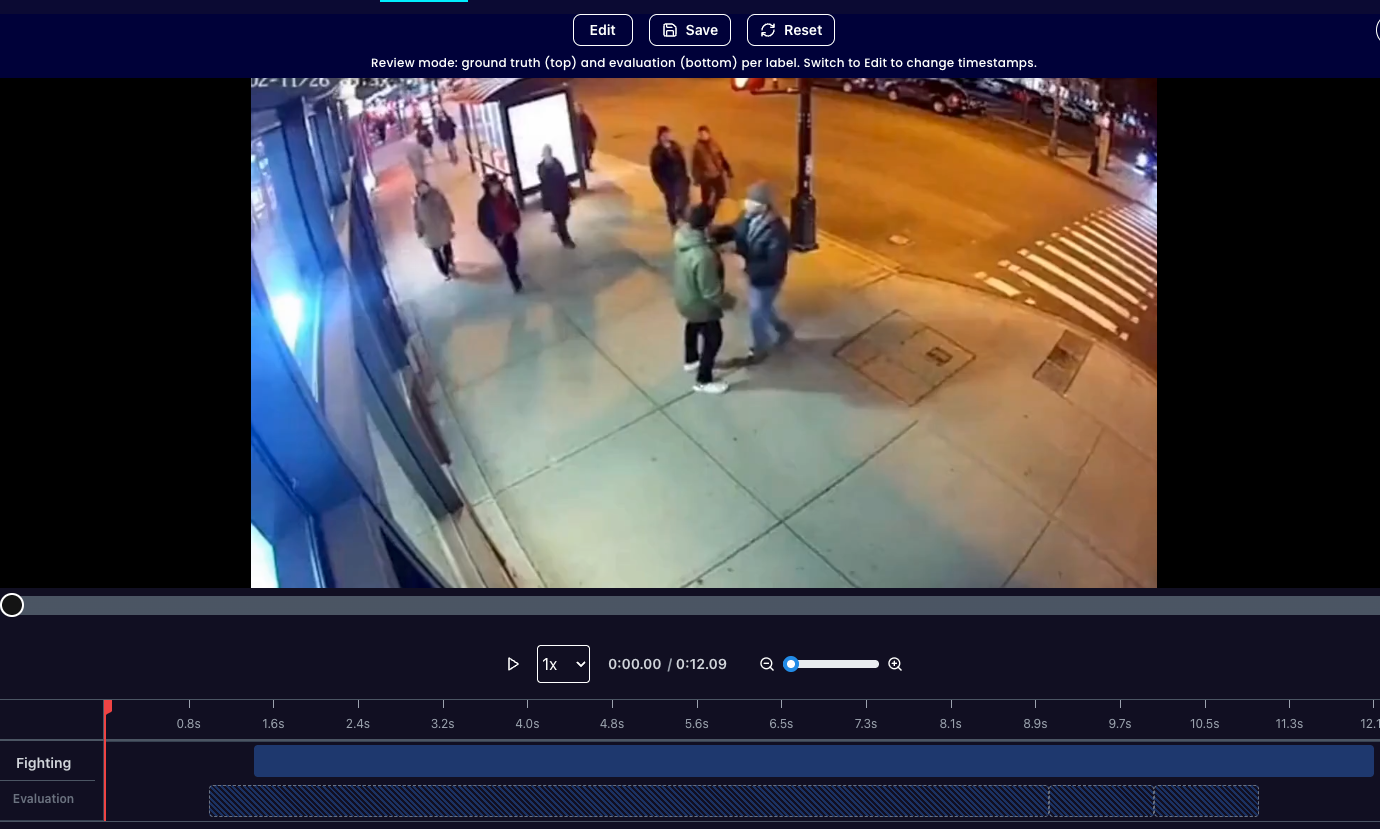
After running the evaluation you can see what the model labelled as fighting and compare it to what you labelled as fighting. With this, you can improve your prompts and thus improve your accuracy.
Tips for Accuracy
- Explicit “Negative” Case Telling the model exactly what not to look for is just as important as telling it what to look for. This is because if you only define "Fighting," the model might cast too wide a net. When it sees two people very close together moving quickly (like hugging or dancing), it might force them into the "Fighting" category simply because it has no other instructions. In our prompt, our explicit “negative case” is the label called Safe which we identified as anything that isn’t fighting. Since we do not include it in our labels in the dataset, it appears as _no_class in our evaluations.
- Define "Edge Cases" The key to high accuracy is a deep understanding of your specific acceptance criteria. In a marketplace context, the line between "acceptable" and "rejected" can be thin. You must be explicitly clear about where that line is drawn. In the prompt we specifically mention what videos should be labeled as 'Safe' even if they look aggressive. For example, we define cases like pre-fight buildups (yelling and gesturing without contact) or the aftermath of an altercation (someone already lying on the ground). With this we reduce the number of false positives given by the mode.
Get early access
Want to move faster with visual automation? Request early access to Abilities and get notified as new vision capabilities roll out.